Making: From Sketch to Send
The best reaction clip in any group chat is the one nobody else can find in a public search bar because you drew it yourself twenty minutes ago. You do not need classical figure-drawing training to make a hilarious loop. In fact, overly polished anatomy often gets in the way of a clean geometric gag.
Follow this four-stage laboratory workflow to build a two-second, 40-frame reaction loop at 20 frames per second using free, cross-platform software.
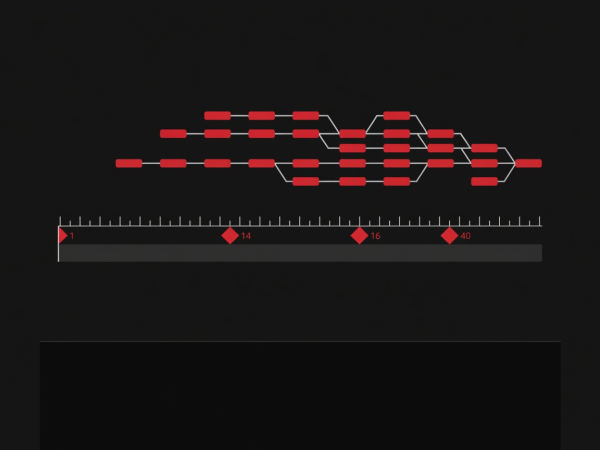
Start With Two Extremes and One Breakdown
Open a 512 × 512 pixel canvas at 20 fps in Krita, Blender 2D Animation (Grease Pencil), or Aseprite. Keep the resolution modest: chat clients display reactions inside narrow message columns, and a 512-pixel square keeps line weights bold and file sizes featherlight.
First, draw Keyframe A (Frame 01): your calm starting posture. Next, jump to Frame 16 and draw Keyframe B: the exaggerated emotional peak (for example, leaning back 20 degrees in polite alarm). Finally, place a single Breakdown pose on Frame 14 where the character dips slightly forward before recoiling. That two-frame dip is your anticipation cushion.
512 × 512 px, 20 fps, high-contrast 4-color palette locked in swatches.
Draw Frame 01 (Neutral) and Frame 16 (Reaction Peak) first.
Insert one elongated breakdown on Frame 15 to bridge the snap.
Close the Loop Seam and Quantize Cleanly
To prevent the character's head from teleporting when Frame 40 wraps back to Frame 01, copy Frame 01 onto Frame 41 as a temporary reference guide and enable your software's Onion Skin mode. Add two ease-in settling frames on Frames 37 and 39 that gently guide the posture halfway back toward the neutral silhouette, then delete temporary Frame 41.
When exporting via FFmpeg or Gifsicle, generate a custom palette first (`palettegen` filter) rather than relying on the default generic 256-color web table. That single command guarantees your dark slate background (`#19191d`) and crimson accents (`#dc2626`) stay completely free of checkerboard noise.
ffmpeg -i rough_loop.mp4 -vf "fps=20,scale=512:-1:flags=lanczos,split[s0][s1];[s0]palettegen=max_colors=64[p];[s1][p]paletteuse=dither=bayer" crisp_reaction.gif
Caps palette at 64 exact colors with structured Bayer ordering, keeping flat vector fills razor-clean.